
"Explore all your options and make the changes you want in your Outlook Express Option window!"
| Home | | Services | | Gallery | | Tutorials | | Games | | Huggy Zone | | Comments | |
|
Flashcard #24: Exploring Your Options With the Outlook Express Option Window! |
|
|
Susie Tutor says:
"Explore all your options and make the changes you want in your Outlook Express Option window!" |
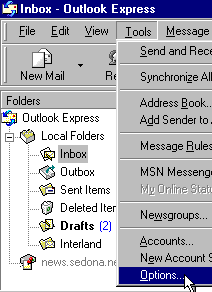
To access the Outlook Express Options window, click on the word, Tools, on the menu toolbar.
Select the word, Options, from the drop down list.
|
When the Options window opens, click on the different tabs to read about and select the options you want.
Make sure you click on the word, Apply, after each change.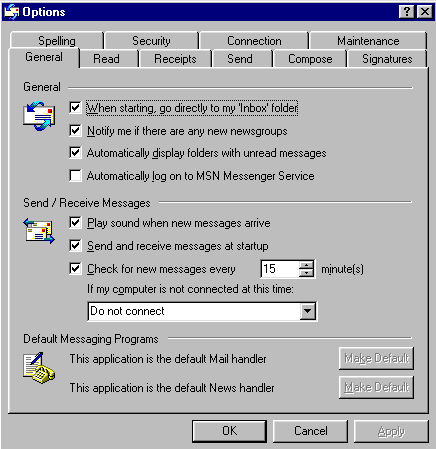
|
| Back to Flashcard Set #2 Contents | Forward to Card 25 |